Study OS
A focus timer and study planner tool
What is Study OS?
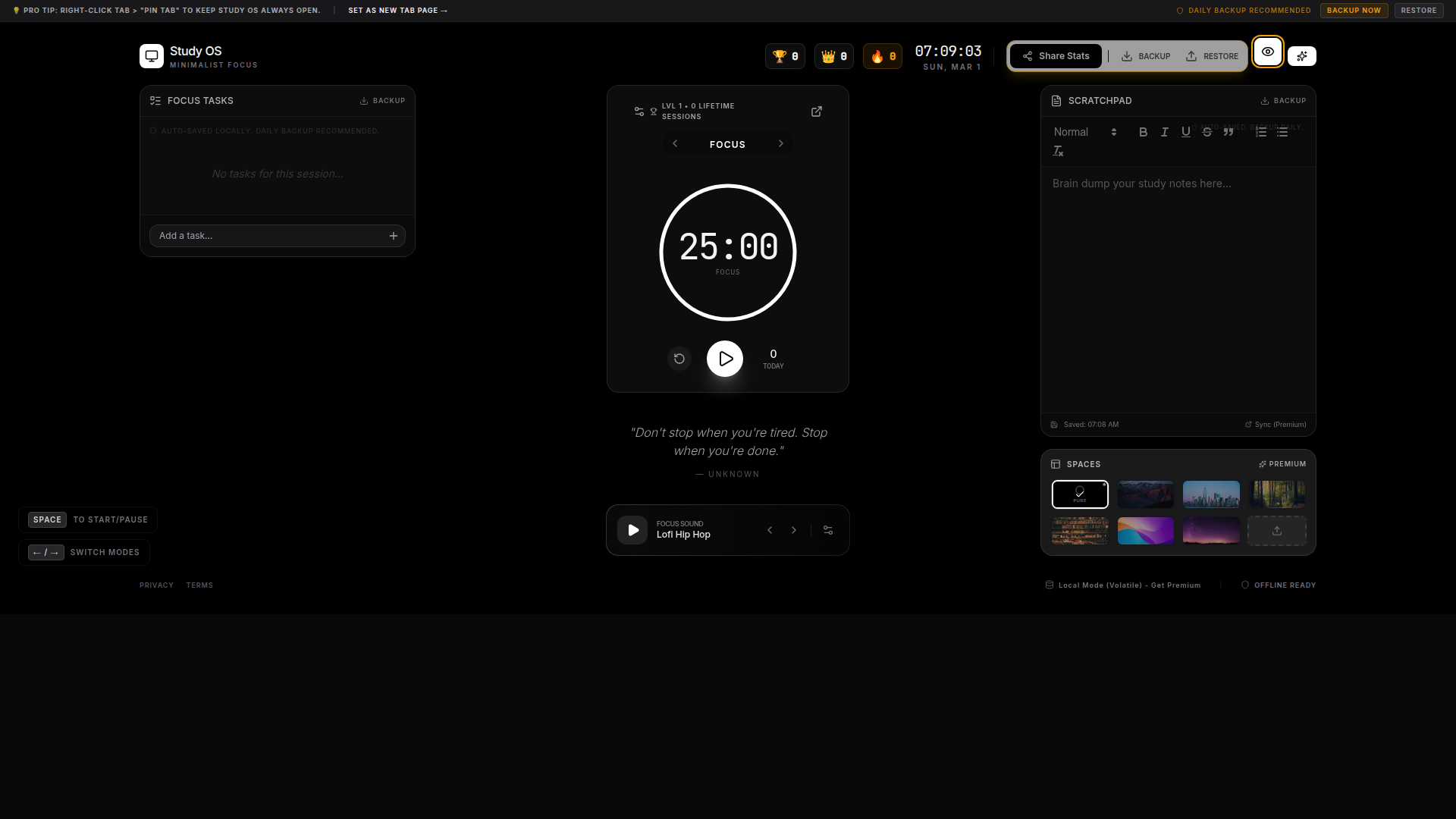
Study OS is a productivity workspace that combines focus sessions, task lists, and a scratchpad with local auto-save and manual backups, plus customizable focus sounds and visual spaces to help you study longer and stay organized.
Key features of Study OS
Focus timer for study sessions
Session-based task list for focused work
Scratchpad notes with auto-save
Manual backup and restore workflow
How to use Study OS
- Right-click the browser tab and choose “Pin Tab” to keep Study OS always open
- Use “Set as New Tab page” (linked video) to open Study OS on every new tab
- Press Space to start/pause focus sessions
- Use ← / → to switch modes
- Run Backup regularly using Backup Now / Restore