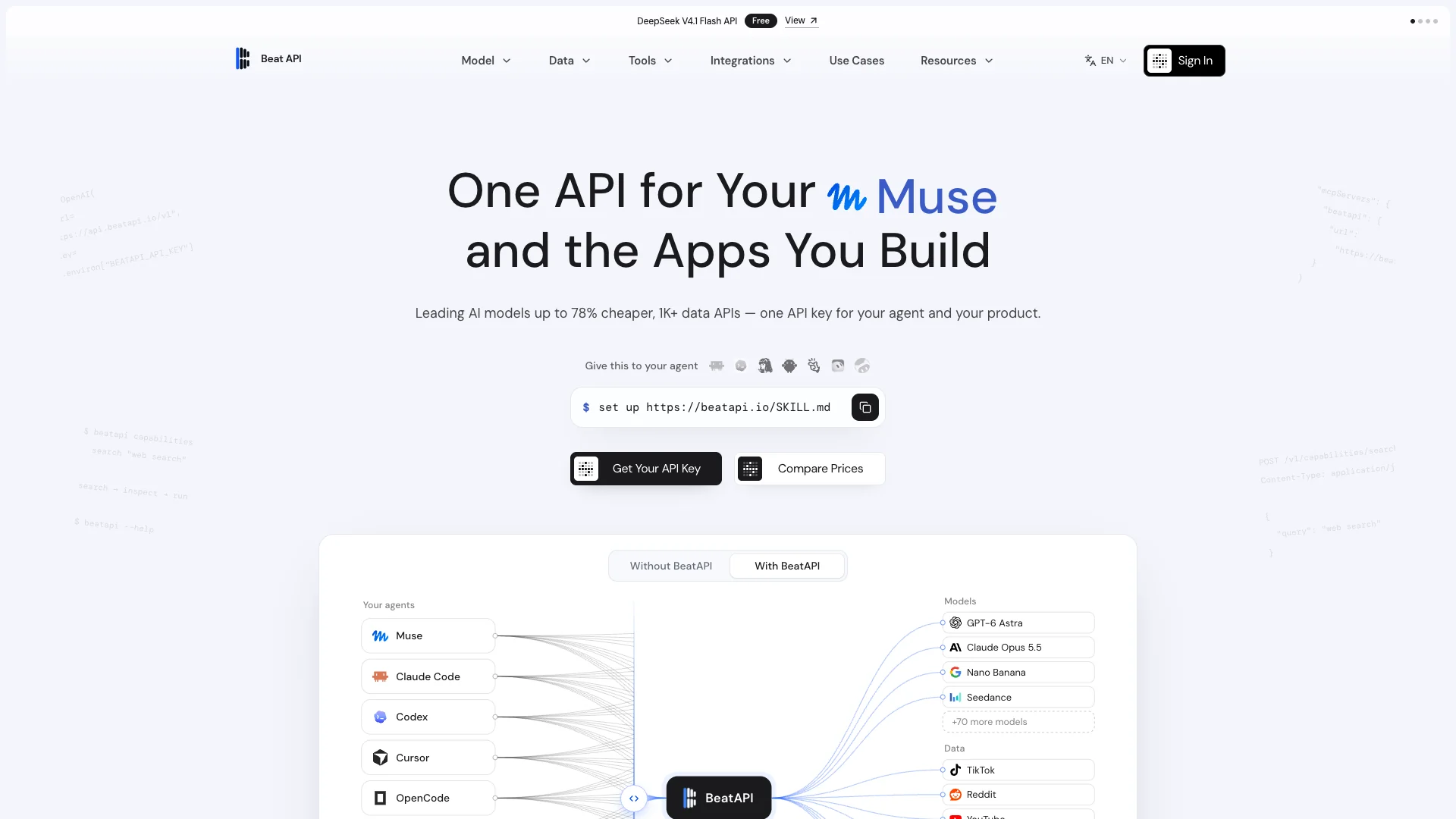
BeatAPI connects AI agents and applications to text, image and video models, social data APIs, and web tools through one API key. Developers can integrate via REST or MCP and use a shared prepaid USD balance. Agents can search available capabilities, inspect input requirements and pricing, then execute supported tools or call the documented API. BeatAPI works with Claude Code, Codex, Cursor, OpenCode and other compatible clients. Use it to build AI applications, automate research, analyze public social data, and generate images or videos without managing separate integrations for every provider.
Unified API key for text, image and video models, social data APIs, and web tools
REST API and MCP integration for agents and applications
Capability discovery with input schemas and pricing inspection
Public social data access for research and analytics
Step 1: Create a BeatAPI account and generate an API key.
Step 2: Browse the capability catalog and review inputs, execution mode and pricing. Add prepaid credit for paid calls.
Step 3: Connect your application through the documented REST API, or configure a compatible MCP client with https://beatapi.io/mcp. Keep your API key in secure settings or environment variables, not in public code or chat.
Step 4: For supported AI agents, send: set up https://beatapi.io/SKILL.md. Follow the setup guide and configure your key securely.
Step 5: Search for a capability, inspect its contract, then run it where supported or call its documented endpoint.
Step 6: Retrieve the result. For asynchronous media tasks, check task status and use the hosted output URL. Monitor usage and handle rate limits or errors as documented.
Fewer integrations: access models, data and web tools through one account and key
Agent-friendly discovery: inspect requirements and prices before execution
Flexible integration: use REST APIs or compatible MCP clients
Centralized billing: manage usage through one prepaid USD balance
Broad workflow coverage: combine research, social analytics and media generation
Traceable media tasks: track status and retrieve hosted outputs